Wiper by HddSurgery

Wiper is designed for fast and secure data wiping of storage devices, ensuring complete overwriting of all user-accessible areas.

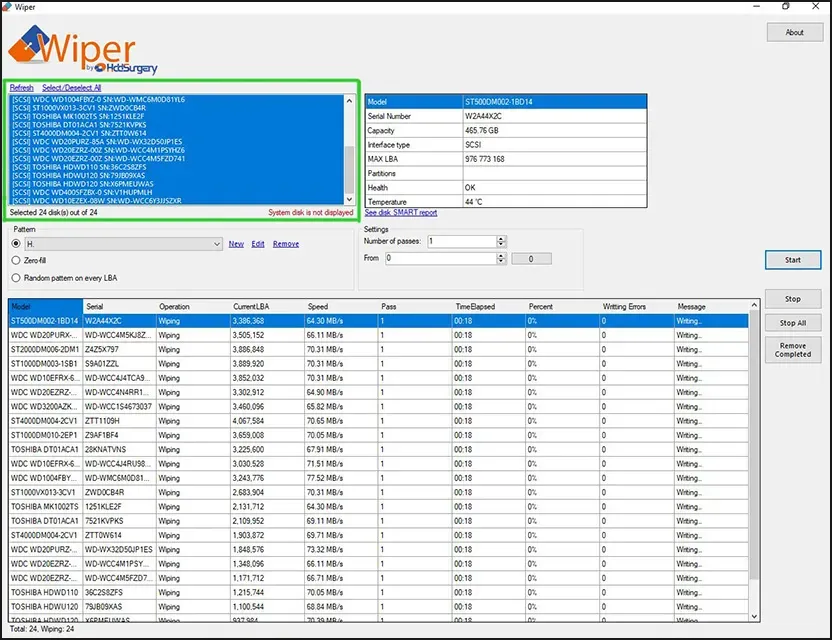
Multi-Drive Wiping


Wiper performs controlled wiping by writing zeros, random data, or a user-defined custom pattern across the entire addressable space of a drive. The software is optimized for speed and reliability and supports simultaneous operation on multiple storage devices, making it suitable for batch workflows and large-scale device handling.

Wiper

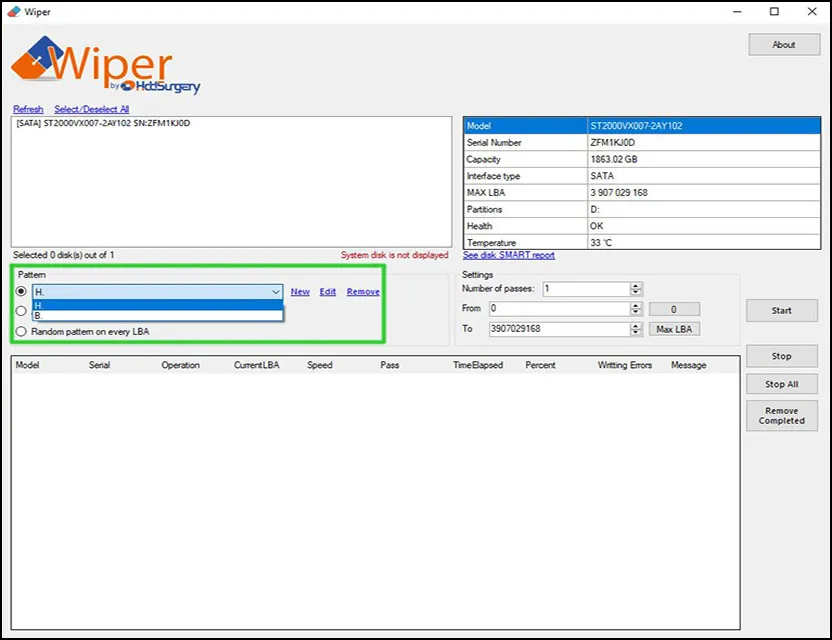
Custom Pattern Support


In addition to secure data erasure, Wiper can write a custom pattern that allows software like File Lister to detect and mark files containing bad sectors during file list generation. As a result, file lists created with File Lister clearly identify files affected by bad sectors, making recovery results easier to review and validate.

Wiper

Hardware Overview


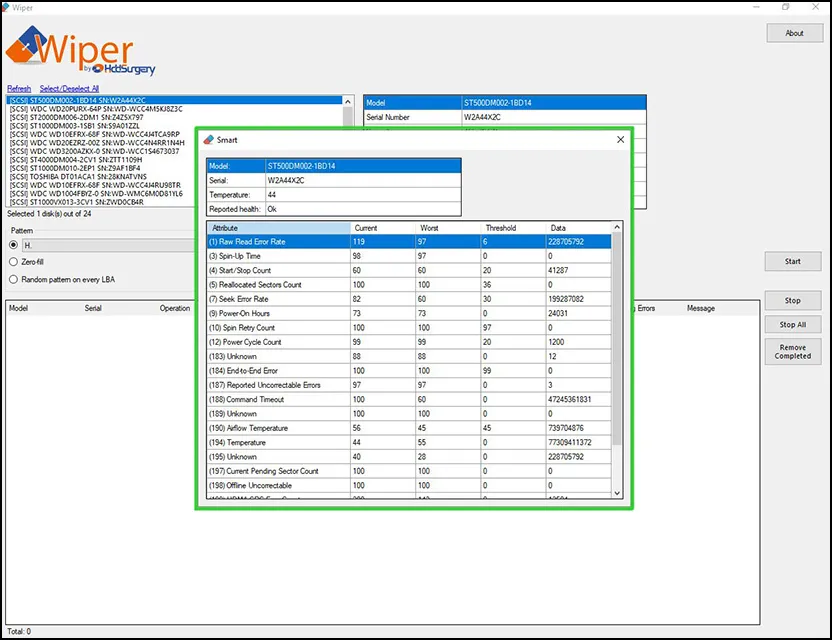
Wiper provides technical information for each connected device, including model, serial number, interface type, maximum LBA, drive health status, partition layout, and temperature readings. For ATA drives, access to S.M.A.R.T. data is available, enabling device condition checks before and after the wiping process.

Wiper

Real-Time Monitoring


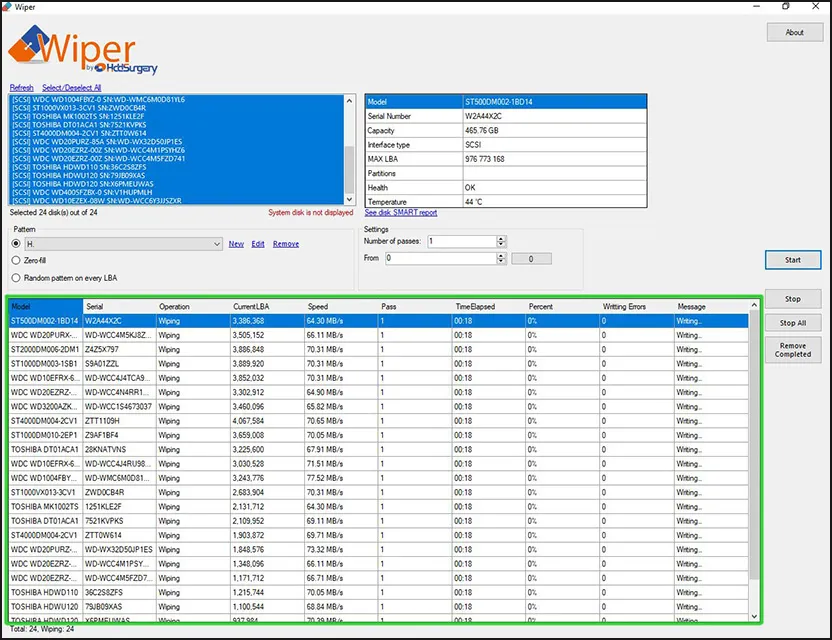
Throughout the operation, Wiper displays comprehensive real-time status information, including the active or completed task, progress, current LBA, write speed, number of passes, and total process duration, ensuring full transparency and precise control during data wiping.

Wiper

Wiper is provided by HDDSurgery as a free utility to help ensure secure and reliable data wiping.


The currently available version is Wiper V2.0, which includes the following improvements:


Wiper Version 2.0 — March 2026


What's new?


  • NVMe SMART data reading support

  • SMART data support for USB disks using USB Attached SCSI (UAS) for supported USB bridge chips

  • Multi-selection capability for disk operations

  • Option to display disk partitions in the device list

  • Separate detection for disk bus type and protocol


Improvements


  • Improved stability during write error handling and attempted recoveries

  • Enhanced Plug-and-Play device detection

  • Improved reliability of clean partition unmount operations


NOTE: After using Wiper to erase data on a device, all information previously stored on the drive will be permanently overwritten and destroyed, with no possibility of recovery!


We kindly ask you to read Wiper by HddSurgery™ License Agreement to ensure you understand and agree with its terms before downloading the software.

To download your copy of Wiper by HDDSurgery™, please click the button below


Download

For any questions, feel free to reach out to us at support(at)hddsurgery.com.


Thank you for choosing HddSurgery® Wiper - we hope it brings valuable upgrades to your business